

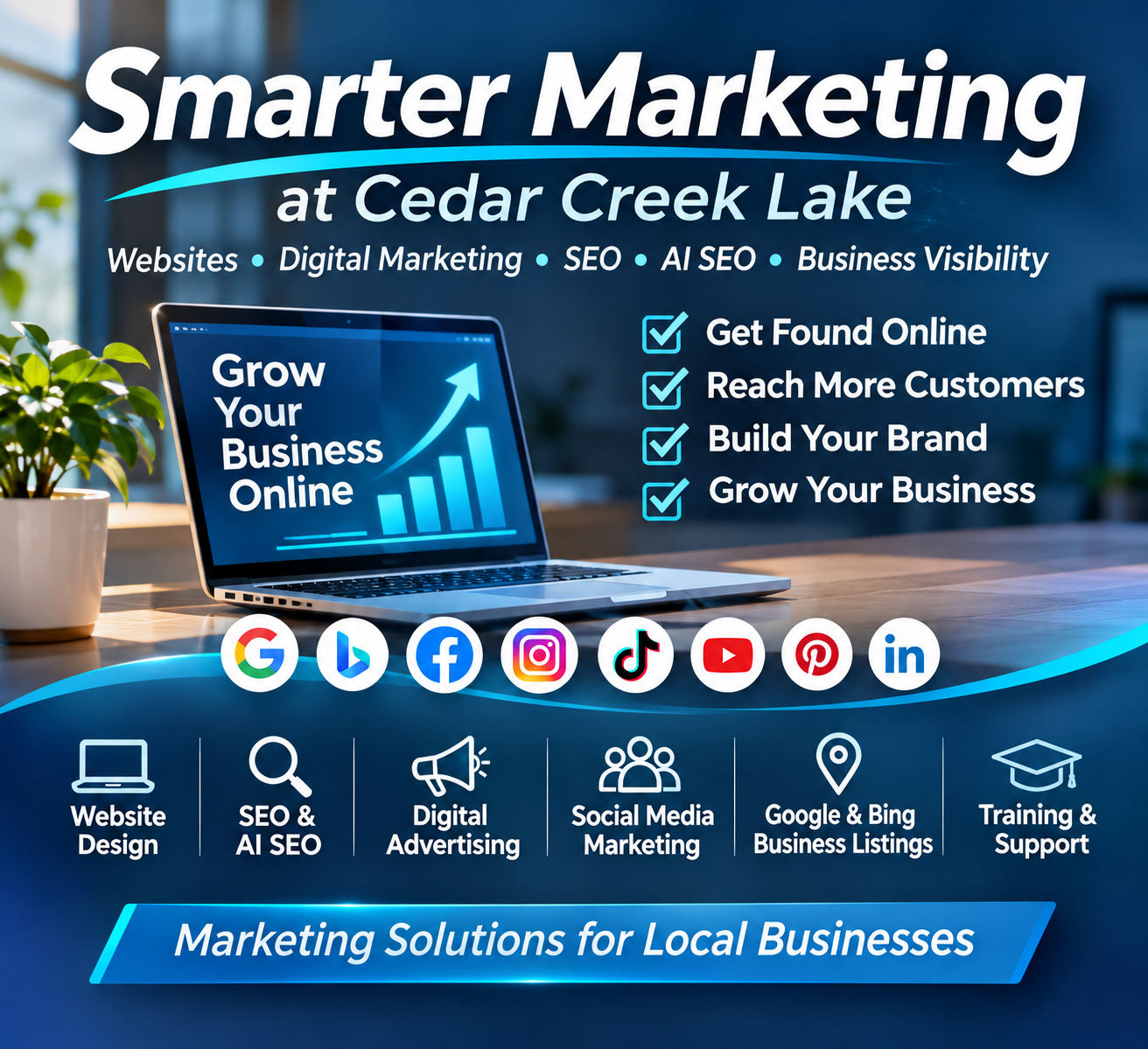
Smarter Marketing at Cedar Creek Lake
Smarter Marketing. Stronger Digital Presence.
Helping Cedar Creek Lake and East Texas businesses improve online visibility, connect with customers, and grow.
From website design and advertising to search engine optimization, social media management, and AI search visibility, we help businesses make the most of their digital presence.
Helping Local Businesses Stand Out Online
From websites and social media to Google visibility and AI-powered search, we help Cedar Creek Lake and East Texas businesses build a stronger digital presence.
How We Can Help Your Business
From getting found online to attracting more customers, we provide website design, local SEO, social media marketing, digital advertising, and hands-on support.
Establish Your Digital Foundation
Website Design
Professional, mobile-friendly, AI/SEO-ready websites and updates.
Google & Bing Business Listings
Google Business Profile and Bing Places setup, optimization, and management.
A strong digital presence begins with consistent, accurate business information across the places customers search, discover, and connect with businesses. We help establish and maintain that presence across relevant digital platforms.
Google · Bing · Facebook · Instagram · TikTok · YouTube · Pinterest · LinkedInBuild Visibility & Trust
SEO & AI Search Visibility
Local SEO, search-friendly content, and AI search visibility strategies.
Social Media Marketing
Content creation, posting, strategy, and account management across social media platforms.
Turn Visibility Into Growth
Training & Digital Support
One-on-one training for websites, social media, and digital marketing tools.
Digital Advertising
Targeted online advertising campaigns to reach potential customers.
From establishing your foundation to building visibility and attracting more customers.
Ready to Get Started?
Let's talk about how we can help your business build a stronger digital presence.
What's Changing at Meta?
Meta is changing how businesses connect with customers, compete for attention, and get discovered. These changes could create significant opportunities for businesses willing to adapt.
Facebook's personalized algorithm is reshaping how content reaches potential customers, while its emphasis on original content rewards authentic business experiences over repetitive promotional posts.
Meanwhile, Forum introduces AI-powered discovery of Facebook Group conversations and recommendations, and Muse brings AI agents into everyday business operations—from marketing and customer follow-ups to administrative tasks.
The bottom line: Discover what's changing, how it could affect your business, and where you can gain a competitive advantage.
Facebook Is Changing How People Discover Businesses, Products, and Services

Facebook Users Have More Control Over What Appears in Their Feeds
Facebook users can now tell its AI-powered recommendation system what they want to see more or less of while scrolling.
WHAT THIS MEANS FOR YOUR BUSINESS
People can tell Facebook what interests them, rather than relying only on what they previously liked or watched.
Facebook can identify posts related to those interests, including content from Pages people don't follow.
Useful posts that clearly explain a topic, problem, or service give Facebook more context to evaluate.
How Does It Work?
Customers Express Their Interests
Facebook already learns from what people watch, like, comment on, and interact with. These actions are called engagement signals.
Now users can also tell Facebook directly what they want to see more or less of, using ordinary words and phrases.
Business example: Someone interested in home maintenance could ask Facebook for more content about roof repairs or storm damage.
AI Finds and Evaluates Content
Facebook uses AI language models to interpret what someone means, not just the exact words they type. These models help translate interests into searchable topics and related content.
The system uses search keywords, related-topic groups, content similarity, and past engagement to identify potential recommendations. It then evaluates how closely each post matches the person's interests.
Business example: A post explaining how to prevent roof leaks could be relevant to someone interested in home repairs, even if they never searched for that exact phrase.
Recommendations Adjust Quickly
Facebook ranks matching posts against other recommendations. Newly selected interests can receive temporary priority, but Facebook also limits repetition so one topic doesn't take over the entire Feed.
When a person adds an interest, Facebook can request fresh recommendations immediately. When they reject a topic, it can remove matching posts already waiting to appear.
Business example: A potential customer could begin seeing more home improvement content during the same Facebook session, creating another opportunity for relevant business posts to appear.
What about keywords, hashtags, and locations?
What Meta confirms: Facebook uses keywords, related topics, and content meaning to help match posts with people's interests.
What businesses should know: Use clear descriptions and relevant location details. Hashtags and geotags can provide context, but Meta has not identified them as guaranteed ranking advantages in this update.
Why Should Businesses Care?
Meta's investment in personalized Facebook recommendations is already delivering measurable changes in organic views, engagement, and how quickly fresh content appears.
Increase in Organic Facebook Post Views
Meta reported that improvements to Facebook Feed and video ranking increased views of organic posts by 7% in Q4 2025.
That matters because organic recommendations can introduce businesses to people who do not already follow their Pages. A boutique, sporting goods store, or local service provider has an opportunity to reach potential customers through relevant content without purchasing every impression.
Higher Engagement From Personalized Reels
In testing involving more than 10 million users, Meta's Reels recommendation model produced a 5.2% increase in total user engagement.
The model was designed to better identify what people actually want to see. This is especially relevant to specialized businesses: fishing equipment, party planning, handmade products, gardening, and other niche interests can attract highly relevant audiences.
More Same-Day Reels Appearing in Recommendations
In January 2026, Meta reported that Facebook was surfacing more than 25% more same-day Reels compared with Q3 2025.
Timeliness matters to businesses with changing inventory, seasonal products, and scheduled events. A farmers market vendor announcing Saturday's harvest or a party supply shop demonstrating a graduation display can publish while customers are actively making purchasing decisions.
These are Meta-reported results from broader Facebook recommendation improvements, not measured outcomes of the October 2026 Your Algorithm feature or guarantees of increased reach for individual businesses. The 25% figure refers to the frequency of same-day Reels being surfaced, not an increase in views per Reel.
What Should Your Business Do Next?
Create Facebook posts that connect specific customer interests to your products, services, and expertise. Here are practical examples for different kinds of local businesses.
Address the Interests Behind a Purchase
Show customers how your products fit their interests, rather than simply announcing that you sell them.
Boutique: Photograph three outfits appropriate for a fall wedding and explain how to style each one for different dress codes.
Sporting goods store: Demonstrate the difference between fishing rods suited for bass fishing and crappie fishing, including when someone would choose each.
Answer Real Customer Questions
Turn questions customers already ask into helpful posts. Explain the problem, offer useful information, and demonstrate your expertise.
Party supply store: Explain how many tablecloths, centerpieces, and balloon arrangements are needed for a graduation party with 50 guests.
Roofing contractor: Use an actual roof photo to explain why improperly sealed satellite dish mounts can cause leaks and when an inspection is appropriate.
Share Timely Products, Events, and Availability
Make the subject of a post clear while the information is still useful. Include accurate dates, locations, prices, or availability when they help customers decide.
Farmers market vendor: On Friday, photograph the tomatoes, peppers, and fresh herbs available Saturday. Include the market location, hours, and prices.
Restaurant: Film a seasonal menu item being prepared and explain when it is available and whether reservations are needed.
Connect Local Relevance With Measurable Results
Make it easy for customers to recognize what you offer and where you operate. Then assess whether posts generate inquiries, orders, bookings, or sales.
Garden center: Demonstrate three plants suitable for East Texas fall containers. Include care instructions, availability, and the store location.
Event rental company: Show an actual wedding setup, list the tables, chairs, and linens used, and explain which service areas qualify for delivery.
The Opportunity: Compete Beyond Your Follower Count
Your next customer doesn't have to follow your Facebook Page to discover your business.
As Facebook personalizes recommendations, smaller businesses have an opportunity to reach people interested in what they offer—not simply those already familiar with their brand.
The advantage isn't having the largest audience. It's reaching the right one.
Meta Is Prioritizing Original Content — What Does That Mean for Your Business?
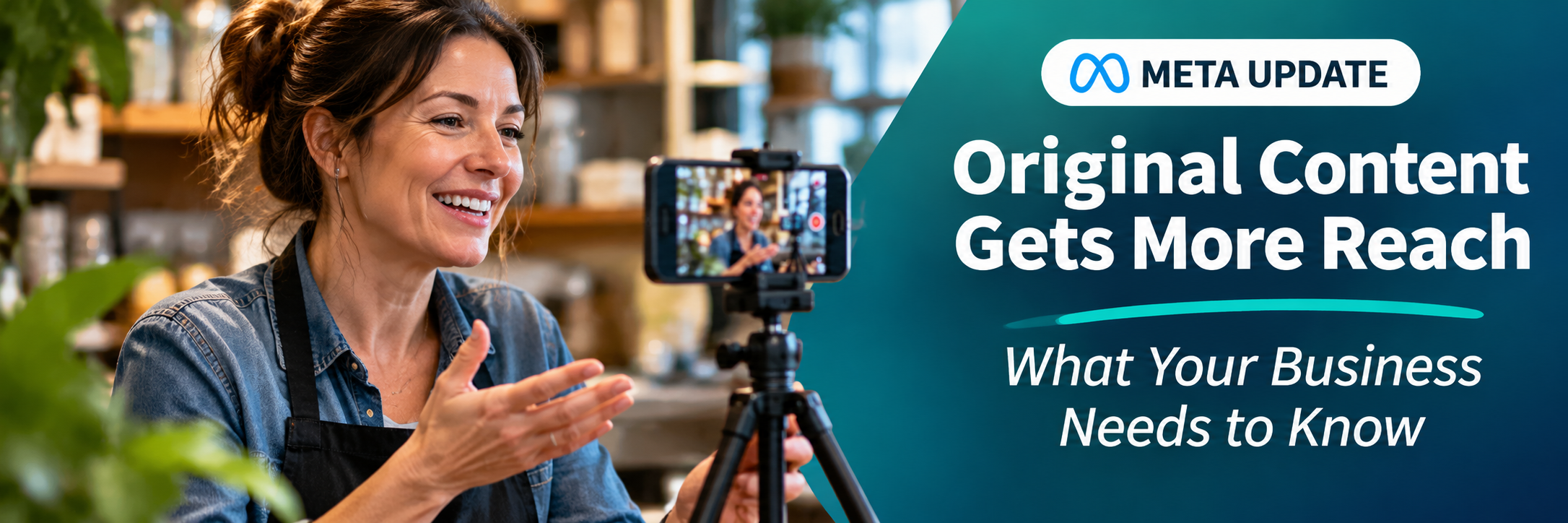
Facebook Prioritizes Original Content in Feed and Reels
On March 13, 2026, Meta announced updated Facebook original content guidelines. Facebook is prioritizing content created by its original source while reducing the distribution of copied or minimally edited posts.
WHAT THE NEW GUIDELINES MEAN FOR YOUR BUSINESS
Photos, videos, and Reels your business creates are considered original and may benefit from increased distribution in Facebook recommendations.
Copied posts and minor edits to someone else's content may receive less distribution. Repeatedly publishing unoriginal material can affect an account's recommendation eligibility.
What Does Meta Consider Original?
Content You Create
Photos and videos produced directly by your business, featuring real projects, products, employees, and daily operations.
Business example: A roofing company documenting a repair or a restaurant showing meal preparation.
Meaningful Creative Work
Original demonstrations, educational videos, and firsthand explanations that teach, inform, or entertain customers.
Business example: A contractor explaining why a particular repair method was necessary, using footage from the job.
Substantial New Value
Third-party content can qualify when a creator contributes meaningful new analysis, teaching, or storytelling.
Adding a border, captions, changing video speed, or simply reacting is not enough.
Business example: Explain and demonstrate a technique rather than simply reposting another company's instructional video.
Original doesn't mean professionally produced. Meta's emphasis is on who created the content and whether it contributes meaningful new value. A simple video recorded at your workplace can qualify. Reusing someone else's work with minor changes may not.
Why Should Businesses Care?
Meta's reported results show how Facebook is changing content distribution. For businesses, the opportunity is increased visibility beyond existing followers, without requiring every impression to come from paid advertising.
Original Facebook Reels Are Attracting Substantially More Viewing
Meta reported that both views and watch time for original Facebook Reels approximately doubled in the second half of 2025 compared with the same period in 2024.
This demonstrates the scale of Facebook's shift toward original video. For a business, a useful Reel could introduce its services to people who have never visited its Page.
Organic Facebook Content Is Receiving More Views
Meta reported a 7% increase in organic Feed and video post views from ranking improvements in the fourth quarter of 2025.
Organic visibility matters because businesses can attract potential customers without paying for each individual impression. However, additional views become valuable only when they reach relevant audiences and generate meaningful business activity.
Facebook Is Increasing the Visibility of Fresh Reels
Facebook was surfacing more than 25% more same-day Reels compared with the third quarter of 2025, according to Meta's January 2026 performance announcement.
This creates a potential advantage for timely content. A restaurant announcing a weekend special, a retailer showcasing a new arrival, or a contractor documenting an active project can publish information while it is relevant to prospective customers.
Source: Meta's March 13, 2026 original content announcement and January 28, 2026 performance report. Figures reflect platform-wide results, not guaranteed increases for individual businesses. The same-day Reels figure measures recommendations surfaced, not a 25% increase in individual Reel views.
What Should Your Business Do Next?
Create content your business actually produces. Show real work, share firsthand knowledge, and give customers something useful they cannot get from a generic repost.
Film What Your Business Does Every Day
Record a short video of an actual task, service, or process. Explain what viewers are seeing and why it matters.
Auto repair shop: Film a technician inspecting worn brake pads. Show the difference between worn and serviceable parts, then explain when an inspection is appropriate.
Pet grooming business: Record a brief demonstration of safely brushing a long-haired dog. Explain which grooming tools are being used and why.
Turn Your Expertise Into Original Advice
Choose a question customers frequently ask. Answer it in your own words with a demonstration, checklist, or firsthand explanation.
Accounting firm: Create your own checklist showing which records small-business owners should organize before tax season.
Fitness studio: Have an instructor demonstrate three beginner-friendly movements, explaining correct form and common mistakes to avoid.
Share Fresh Content Customers Can Act On
Create your own photos or videos of current offerings, availability, or upcoming activities. Include the details needed to take action.
Hair salon: Photograph a completed hairstyle with the client's permission. Explain the technique used and include upcoming appointment availability.
Community nonprofit: Record volunteers preparing for an upcoming event. Explain the work being done and how others can participate.
Replace Generic Reposts With Your Own Work
Instead of sharing someone else's promotional material, create a firsthand example that shows how your business approaches a real customer need.
HVAC company: Rather than reposting a manufacturer's maintenance graphic, film your technician demonstrating how to check an air filter.
Home cleaning service: Replace generic cleaning tips with photographs from an actual project, taken with permission. Explain the cleaning methods and products used.
The Opportunity: Make Original Content Count
Over the next 30 days, compare your original posts with the content you've shared previously. Look beyond likes and views.
The goal isn't simply to create more content. It's to create content worth discovering—and worth acting on.
Meta Introduces Forum: A New Way to Find Answers, Recommendations and Communities Through Facebook Groups
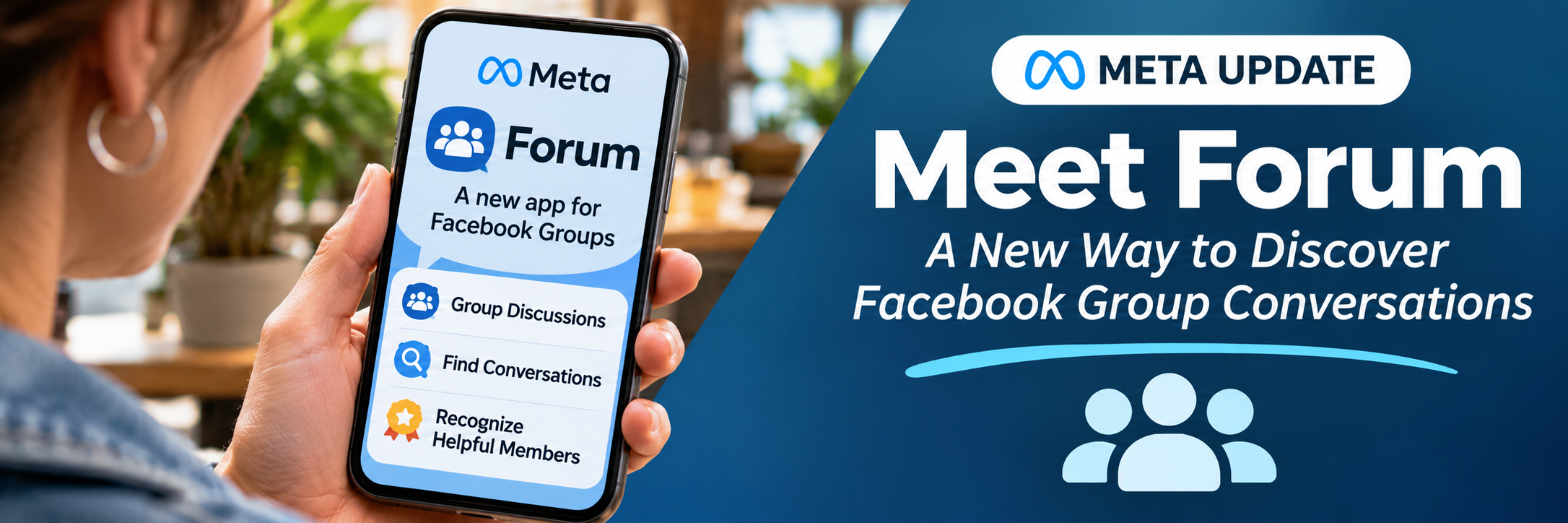
Facebook Groups Are Getting a New Way to Be Discovered
Meta is testing Forum, a separate mobile app connected to Facebook Groups that brings community discussions together in one place.
The significant development is how people can find information. Forum introduces AI-powered search, recommendations from real people, and new ways to explore communities.
You no longer have to belong to every public Facebook Group to discover its conversations.
WHAT THIS MEANS FOR CUSTOMERS AND BUSINESSES
AI can find relevant conversations, recommendations, and firsthand experiences from Facebook Groups.
People may discover relevant discussions without already belonging to the group.
Meta is testing a role that recognizes members who provide valuable advice and experiences.
What Is Forum, and How Do You Use It?
Forum is a separate mobile app, not a replacement for Facebook Groups. Available for iPhone and Android in the United States, it connects to your existing Facebook account and groups.
Getting started: Download Forum, sign in with Facebook, and explore group discussions or use "Ask" to find answers and recommendations.
Meet "Ask" — Forum's AI-Powered Question-and-Answer Feature
Instead of searching through multiple Facebook Groups, people can use artificial intelligence to find answers from existing conversations.
Ask a Question in Everyday Language
"Ask" is the name of Forum's AI-powered feature that helps people find what others have said in Facebook Groups.
It highlights relevant existing posts and comments, drawing on firsthand experiences and recommendations shared by group members.
Results can include discussions from groups someone already belongs to and public groups they have never joined.
Compare Recommendations From Real Group Discussions
Meta is testing a feature that brings recommendations together when someone is comparing options.
Meta's examples: Comparing running shoes, choosing gifts, and deciding which book to read next.
Rather than relying on one person's recommendation, users can explore opinions shared across relevant group conversations.
Continue Researching With Suggested Questions
Meta is also testing personalized follow-up questions on the Ask home page.
These suggestions are based on recent searches, helping people continue exploring subjects that interest them.
Meta confirms that Ask can find existing group conversations. The September announcement does not explain Ask's ranking factors or guarantee that any individual post will appear in results.
What Else Did Meta Announce?
Discover Discussions by Topic
Meta is testing clickable topic labels on group posts.
Selecting a label opens more conversations about the same interest.
Meta's examples: "Solo Travel" and "Korean Food." Topic labels are being tested and may not appear for everyone.
Recognize Helpful Contributors
Meta is testing a new role recognizing members who contribute valuable information to group discussions.
This replaces previous contributor badges and the group expert role.
Recognition includes: A new badge and benefits such as faster publishing. All posts remain subject to Community Standards.
Give Admins a Role in Recognition
Group administrators can grant the new contributor role to members.
Meta may also nominate members to help admins identify valuable contributors.
Rollout: Meta announced testing on Forum in the US and on Facebook globally. Members can remove themselves from the role.
Why Should Customers and Business Owners Pay Attention?
Forum introduces another way for existing community discussions to be found, explored, and used when people are making decisions.
Find Experiences and Recommendations Without Searching Every Group
Customers can use Ask to locate relevant discussions about products, interests, and everyday decisions.
They can discover conversations from public groups they haven't joined and open the original discussion to explore further.
Existing Public Group Conversations Have Another Discovery Path
A person researching a product, service, or interest may encounter a relevant public group conversation through Ask.
For businesses: Discussions containing firsthand experiences, customer recommendations, or useful business information may be discoverable beyond the group's current members.
This is an opportunity for discovery, not a promise of greater reach or additional sales.
Valuable Community Discussions Gain New Importance
Public group conversations can be surfaced through Ask, and the new contributor-recognition role highlights members who provide useful information.
Meta identifies helpful answers, firsthand experiences, practical recommendations, and conversations that bring people together as qualifying types of contributions.
The September 29 announcement documents these capabilities but does not publish measurable business reach, lead generation, conversion, or revenue improvements.
What If Your Business Only Has a Facebook Page, Not a Group?
Facebook Pages: Forum's "Ask" feature focuses on Facebook Group conversations, not ordinary business Page posts.
No Group? No Problem. You don't need to own one. Participate in relevant groups where their rules allow.
How Customers Find You: Your business could be discovered when Ask surfaces a public group discussion mentioning your business.
The Opportunity: Reach New Customers
Your business could be discovered by people who have never heard of you!
Forum's AI-powered "Ask" feature can surface relevant public Facebook Group conversations, including discussions that mention your business.
Official Meta Source
Meet Muse: Meta's AI Assistant for Small Business Owners
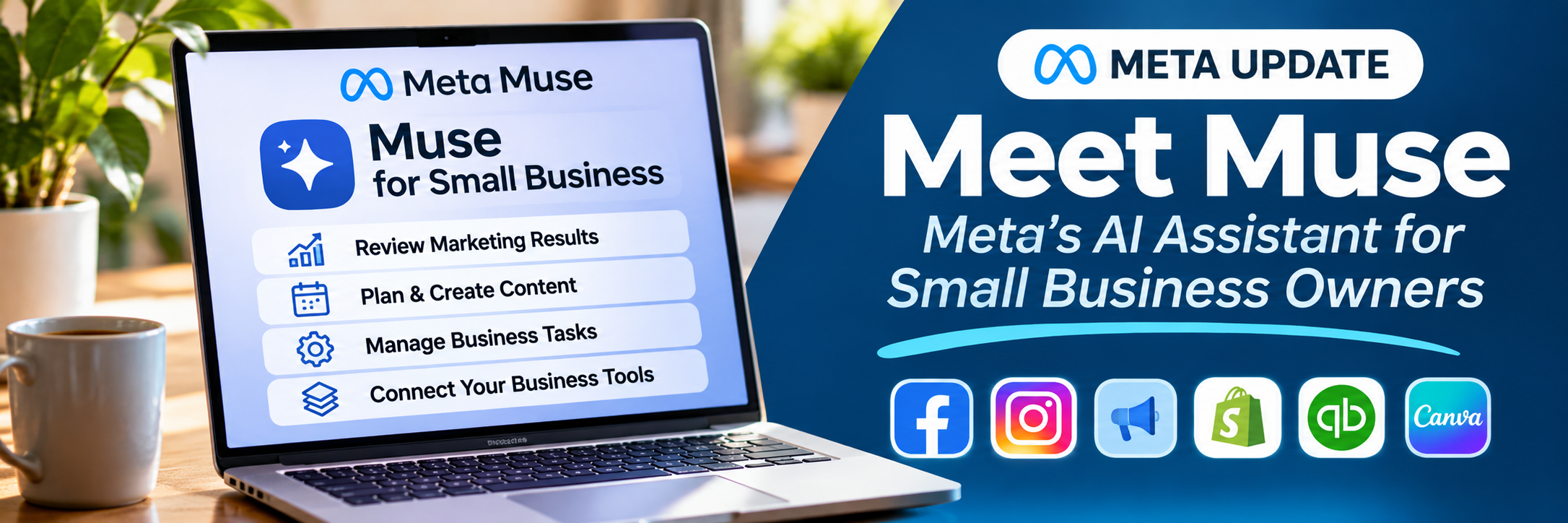
An AI Assistant That Can Take Work Off Your Plate
Meta introduced new capabilities for Muse for Small Business, an AI agent designed to carry out tasks, work across connected apps, and help owners manage their businesses.
Unlike a simple question-and-answer chatbot, Muse can continue working on assignments, identify tasks that need attention, and return with results or requests for approval.
The potential benefit: less time managing routine work and more time running your business.
WHAT MAKES MUSE DIFFERENT?
Muse can continue longer assignments and return when there's progress, a change, or a decision to make.
Connect Facebook, Instagram, and supported business apps so Muse can work with your existing information and processes.
Muse can flag messages needing attention, prepare responses, and suggest next steps without a new prompt each time.
If You Already Use ChatGPT or Copilot, Why Consider Muse?
Many AI assistants can write content, analyze spreadsheets, summarize reports, and recommend business improvements. Those capabilities alone are not a reason to switch.
Meta is positioning Muse as a personal AI agent that can carry out assignments, work across connected services, and continue making progress while you're doing something else.
Beyond Answers: Actual Tasks
Muse can use its own browser to navigate websites, complete forms, and work through multi-step assignments.
It can also keep working after you close the app, returning when it needs approval or has an update.
Connected to Your Business
Muse can connect Facebook Pages, Instagram professional account analytics, and Meta ad accounts.
Meta also named 15 third-party services, including QuickBooks, Shopify, Stripe, Canva, and Slack.
Built for Ongoing Assistance
Muse can remember useful context, suggest ideas based on previous conversations, and surface tasks that need attention.
Its dedicated cloud computer, separate security checks, and activity history are part of Meta's approach to agent oversight.
Does That Make Muse Better Than Other AI Tools?
Not automatically. ChatGPT, Copilot, and other AI services also offer connected apps, advanced analysis, and various agent capabilities.
Muse is worth evaluating if its specific integrations, proactive assistance, and ability to complete tasks fit the way your business operates. The deciding factor should be measurable results, not the number of features advertised.
How Does Muse Support Business Operations?
Meta's September announcement describes several practical ways Muse can reduce the work involved in managing a business.
01 — Reviews Business Performance Across Connected Tools
Muse can examine available sales, financial information, marketing campaigns, and social performance to identify trends, unusual expenses, and opportunities for improvement.
02 — Handles Follow-Up and Administrative Work
Muse can identify important emails, flag messages needing a response, draft replies, and help organize work that might otherwise require the owner's attention.
03 — Builds Plans and Prepares Campaigns
Using relevant business data, Muse can create growth plans, review advertising performance, and prepare marketing campaigns. The owner approves publishing, sending, or spending.
Muse by the Numbers: What Meta Actually Reported
A closer look at the facts behind the announcement—and what they mean for business owners.
Third-Party Integrations Named
Meta lists 15 services, including QuickBooks, Shopify, Stripe, Canva, Slack, Asana, and Notion.
Facebook and Instagram business connections are also described.
Why it matters: Muse can work with information across supported business tools rather than relying only on manually entered prompts.
Hours Worked Weekly by a Featured Owner
Meta quotes a grocery store owner who says he works approximately 65 hours per week and uses Muse to take on some responsibilities.
Why it matters: Time-consuming routine work is a real business challenge. However, 65 hours describes his workload—not time saved.
Verified Business ROI
Meta's announcements do not provide measured gains in revenue, conversion rates, productivity, or return on investment attributable to Muse.
Why it matters: Business owners should establish their own baseline and measure whether Muse delivers a worthwhile return.
Why Should Businesses Care?
The opportunity is not simply producing more content with AI. It's identifying work that consumes time or money and testing whether Muse can improve the result.
Spend Less Time on Routine Work
Use AI assistance for reporting, reviewing records, identifying follow-ups, and preparing communications. Measure the administrative hours saved, including time spent reviewing Muse's work.
Find Opportunities to Increase Revenue
Examine campaign results, customer inquiries, sales trends, and repeat-purchase activity. Identify where better follow-up or more effective marketing could increase sales.
Catch Problems Earlier
Review financial records for unusual expenses, monitor customer communications for unresolved issues, and identify tasks needing attention before they become bigger problems.
What Should Your Business Do Next?
Put Muse to work on a specific business problem, give it a measurable goal, and evaluate the outcome after 30 days.
Give Muse a Focused Assignment
Tell Muse what you want it to accomplish, provide the relevant information, and specify the result you expect. Ask for recommendations or drafts you can review before any action.
Start with work that matters: missed follow-ups, reporting time, rising expenses, customer complaints, or underperforming marketing.
Put Muse to Work on Measurable Business Goals
Choose a goal below and open it for three sample chat prompts. Each category includes performance measures you can track.
Increase Qualified Leads
- "Review our last 90 days of marketing results and identify which activities generated the most qualified inquiries."
- "Compare our lead sources and recommend where we should focus next month's marketing."
- "Identify gaps in how we attract prospective customers and draft a 30-day plan to improve lead quality."
Measure: Qualified leads, cost per lead, and lead-to-customer rate.
Improve Lead Conversion
- "Review recent inquiries and identify where prospects stop moving through our sales process."
- "Find outstanding estimates or inquiries needing follow-up and prepare messages for my approval."
- "Compare converted and unconverted leads and identify three opportunities to improve our conversion rate."
Measure: Conversion rate, follow-up rate, and completed sales.
Reduce Operating Expenses
- "Compare our expenses over the last six months and identify recurring increases or unusual charges."
- "Review spending by category and highlight costs that deserve closer attention."
- "Prepare a monthly expense review showing where we could investigate potential savings."
Measure: Monthly expenses, avoidable costs, and operating margin.
Improve Customer Satisfaction
- "Analyze recent customer feedback and identify the most common complaints or recurring concerns."
- "Review unresolved customer issues and prioritize the ones needing attention."
- "Create a 30-day improvement plan addressing our three most frequent service problems."
Measure: Complaint volume, resolution time, and customer satisfaction.
Generate More Google Reviews
- "Draft a professional, non-incentivized Google review request for customers after a completed transaction."
- "Prepare short email and text-message versions of our review request."
- "Build a consistent review-request process and a simple way to track participation."
Measure: Review requests sent, new reviews, and response rate.
Increase Repeat Business
- "Review available purchase history and identify patterns among repeat customers."
- "Identify customers who may benefit from an appropriate service reminder or follow-up."
- "Draft a 30-day customer retention campaign using our past purchasing trends."
Measure: Repeat-purchase rate, returning customers, and retention revenue.
Improve Advertising ROI
- "Compare advertising costs with the leads and sales generated by each campaign."
- "Identify campaigns with high acquisition costs and recommend changes for the next 30 days."
- "Review our Facebook and Instagram advertising results and draft a revised campaign using our strongest performers."
Measure: Cost per acquisition, revenue per campaign, and ROI.
Reduce Customer Response Times
- "Review our recent inquiries and identify which types take the longest to answer."
- "Find messages that still need a response and prepare accurate drafts for approval."
- "Identify repetitive customer questions and draft reusable responses that save staff time."
Measure: Average response time, unanswered inquiries, and staff hours saved.
Strengthen Sales Forecasting
- "Analyze our sales history and prepare a 90-day forecast based on available trends."
- "Compare monthly revenue and identify seasonal changes that could affect planning."
- "Prepare a best-case, expected, and conservative sales forecast with clearly stated assumptions."
Measure: Forecast accuracy, monthly revenue, and forecast variance.
Improve Employee Productivity
- "Review our recurring administrative tasks and identify duplicated work."
- "Help reorganize our weekly reporting process to reduce preparation time."
- "Identify routine activities that could be simplified and create a 30-day improvement plan."
Measure: Hours per task, reporting time, and missed deadlines.
Compare Results After 30 Days
Don't judge success by how many tasks Muse completed. Determine whether your business actually improved.
The Opportunity: Put AI to Work Where It Counts
Muse's value isn't in what it can do—it's in what it can improve. Start with one measurable business goal and let the results determine whether it's worth the investment.
What's Changing at Google?
Google is changing how customers find businesses online. AI-powered search, advertising, and new business tools could influence where customers discover your products and services.
Ads in AI-powered search introduce new ways to reach customers researching purchases. Google is also making website links more visible in AI search, reinforcing the importance of useful website content and online visibility.
Gemini's small-business tools can assist with planning and marketing, while Google Vids offers new ways to create video content. Visual search reporting provides insights into image discovery, and Google's new .eat, .fly, and .here domains provide additional branding options for certain businesses.
Google Ads Are Changing: Your Business Can Now Appear in AI-Powered Search Conversations
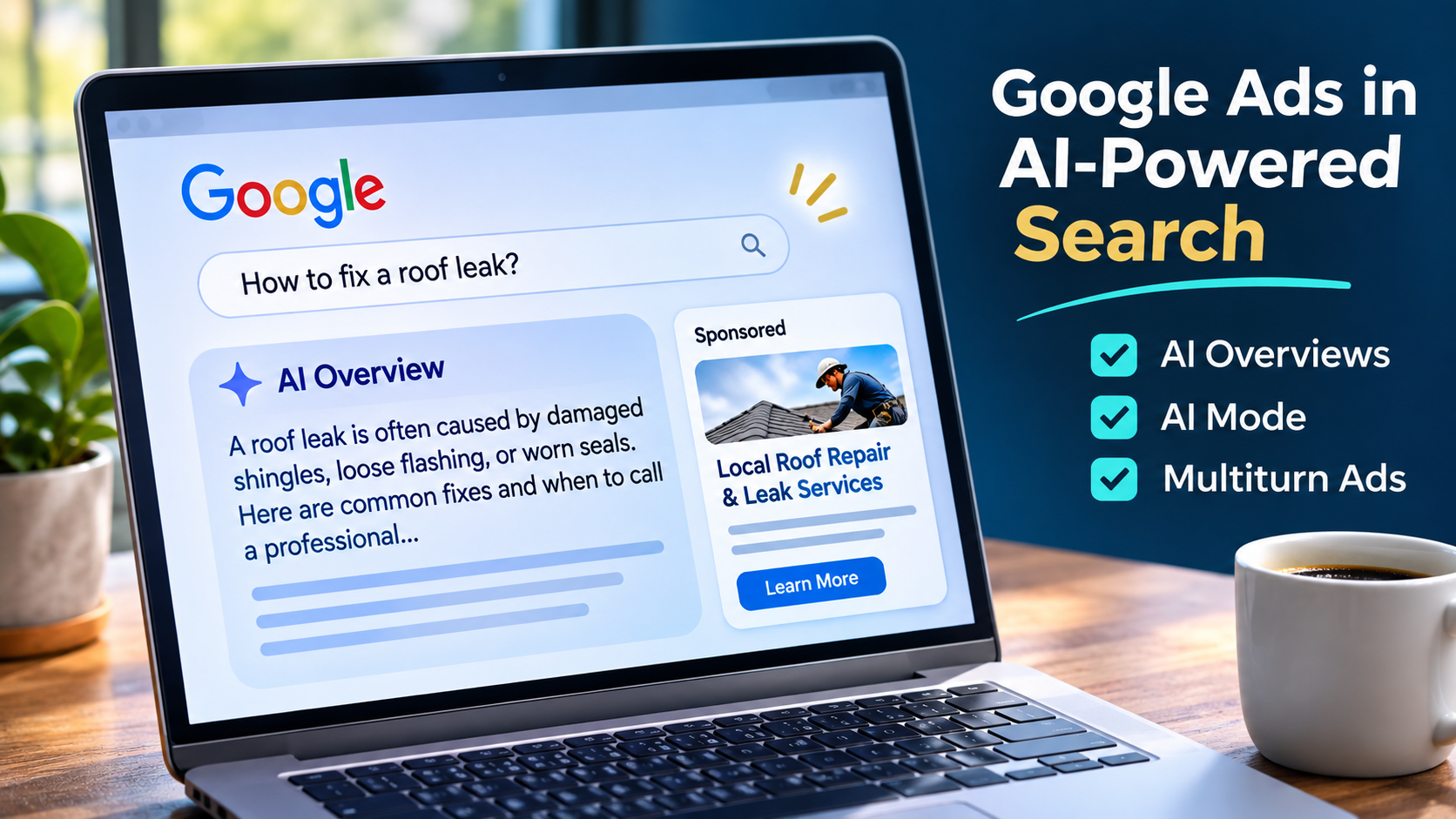
Reach Customers While They Compare Options
A customer researches a problem, compares solutions, and asks where to buy or whom to hire.
Google can now introduce relevant Sponsored ads as that conversation develops.
WHAT'S DIFFERENT?
Sponsored results may appear during ongoing conversations in AI Mode.
Google may identify a product or service need from the meaning of a question.
Eligible Google Ads campaigns can participate without a separate AI campaign.
How Do Ads Work in Google's AI Search?
AI Overviews: Ads Alongside Search Answers
AI Overviews are summaries Google sometimes displays within regular search results. Relevant Sponsored ads may appear within or around these summaries.
Customer search: "Why is my air conditioner running but not cooling?"
Google may explain possible causes while displaying an eligible air conditioning service ad.
AI Mode: Ads During Follow-Up Questions
AI Mode lets customers ask questions, compare options, and continue with follow-ups.
Google calls ads appearing during these exchanges multiturn ads.
First question: "What flooring is best for large dogs?"
Follow-up: "Who installs waterproof flooring near me?"
A flooring contractor may appear as a Sponsored result.
How Do Keywords, Location, and Voice Search Affect Your Ads?
Review the searches triggering your ads. Add relevant keywords and use negative keywords to exclude unrelated searches. Check whether broader targeting produces qualified leads.
Review geographic targeting and location options. Check whether clicks originate from customers within your market. Adjust settings when irrelevant locations consume your budget.
Customers may ask, "Who repairs metal roofs near Cedar Creek Lake?" Use common spoken questions to strengthen relevant advertising and website content.
Remember: Voice searches do not receive automatic advertising priority. Relevance, targeting, and Google's ad auction still determine placement.
Why Should Businesses Care?
Google's published research illustrates how customers use AI Search to research products and services.
Customers Ask More Detailed Questions
Google reports that AI Mode questions average three times the length of traditional searches.
Traditional search: "Commercial roofing"
AI Mode question: "What commercial roof works best for a warehouse in a hot climate?"
These longer questions can reveal specific buying requirements and customer concerns.
U.S. Searches Include Voice or Images
Google reports that more than one in six U.S. searches use voice or images.
Customers can describe a problem verbally or search with a photo. Accurate service descriptions and relevant website images help communicate what your business offers.
Monthly AI Mode Users Worldwide
Google reported more than one billion monthly active AI Mode users worldwide in May 2026.
AI-assisted searching has become a significant way for customers to research and compare purchasing options.
Google-published figures, May–Oct. 2026. Search examples are illustrative. Statistics do not represent guaranteed advertising results.
What Should Your Business Do Next?
Use Google Ads and Search Console to identify customer demand, reduce wasted spending, and improve conversion results.
Identify Customer Search Questions
Google Ads: Open Campaigns, then Insights and reports, followed by Search terms. Review searches triggering your paid ads.
Search Console: Open Performance, select Search results, then Queries to review unpaid search activity.
Your next step: Identify three relevant customer questions. Check whether your ads or website address them.
Reduce Wasted Advertising Spend
Review search terms that do not match your offerings. Add appropriate negative keywords and check geographic targeting.
Example: A commercial service provider may want to exclude searches for unrelated residential products.
Your next step: Identify irrelevant searches consuming your budget. Exclude those that clearly do not represent potential customers.
Improve Your Ad Landing Pages
Customers who click your ads should find exactly what they searched for.
Example: Someone searching for "commercial metal roof repair" should not arrive at a generic roofing homepage.
Your next step: Find an ad receiving clicks but few inquiries. Improve its landing page and contact options.
Then measure: Compare conversion results before and after the changes.
Measure Your Advertising Results
In Google Ads, open Goals > Conversions to verify that leads, calls, bookings, or purchases are tracked.
In Campaigns, select Columns > Modify columns to review Cost, Conversions, and Cost / conv.
Example: $600 in ad spend produces 20 qualified leads.
Cost per lead: $30.
If five leads become customers, the acquisition cost is $120 per customer.
Your next step: Compare acquisition cost with the profit from each new customer.
The Opportunity: Convert Relevant Searches Into Profitable Leads
More detailed customer questions create opportunities to connect with people researching specific needs.
Your next goal: Identify three high-intent searches, eliminate irrelevant ad clicks, and improve the percentage of qualified leads becoming paying customers.
Stay Informed. Make Smarter Marketing Decisions.
We'll continue sharing Google and Meta updates, practical recommendations, and opportunities to help local businesses make informed marketing decisions.
Better decisions. Stronger results.